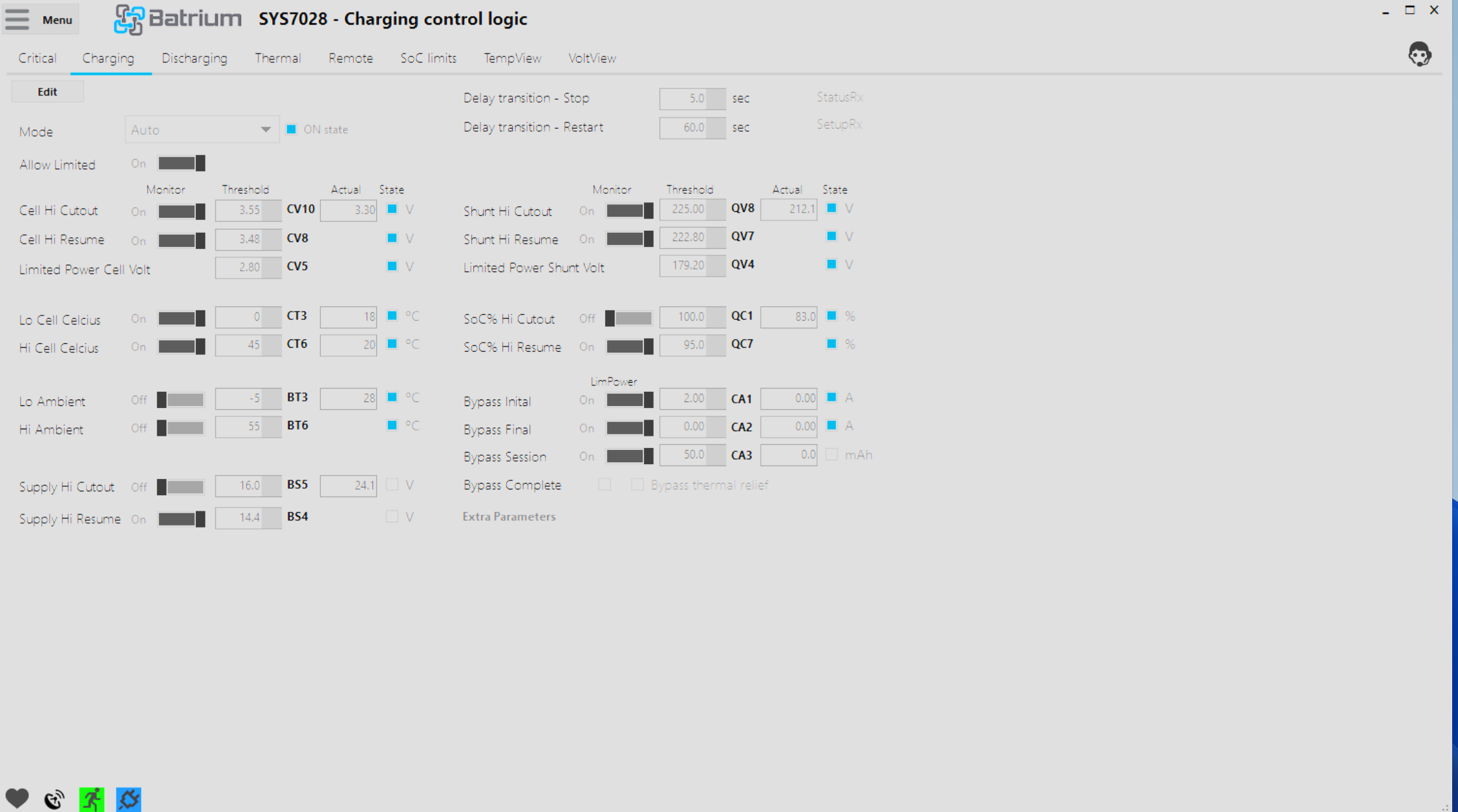
This parameter is named a bit confusingly, I agree, but it is a hangover from our last-gen cell monitors that could vary their current.
Essentially, CA1 is a threshold, that once LongMons or Blockmon balancing current exceeds, it switches to limited charging. So since 2A will never be reached, it will never trigger in your case.
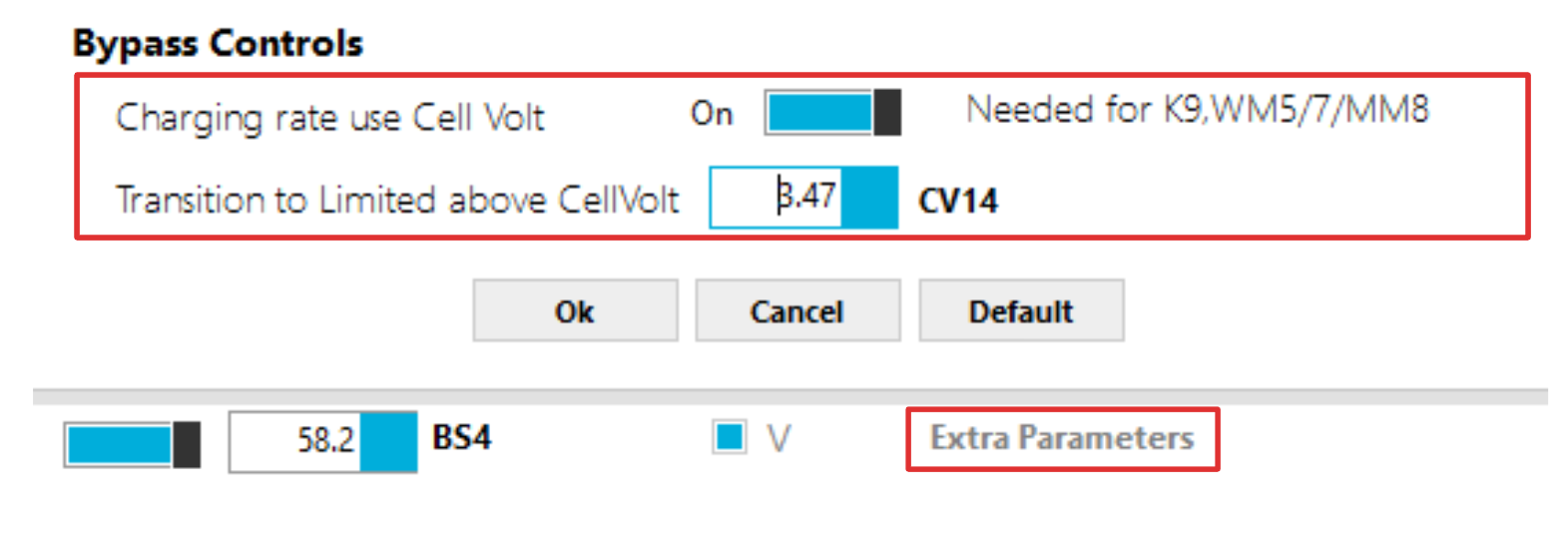
If you are using K9s, to set the threshold you use cell voltage CV14 instead, and set it around 20mV above your balancing threshold:
You also need to turn on “Charging rate use Cell Volt” to enable using CV14 instead of CA1
It’s under Control > Charging > Extra Parameters
These are set automatically by the Wizard Setup.
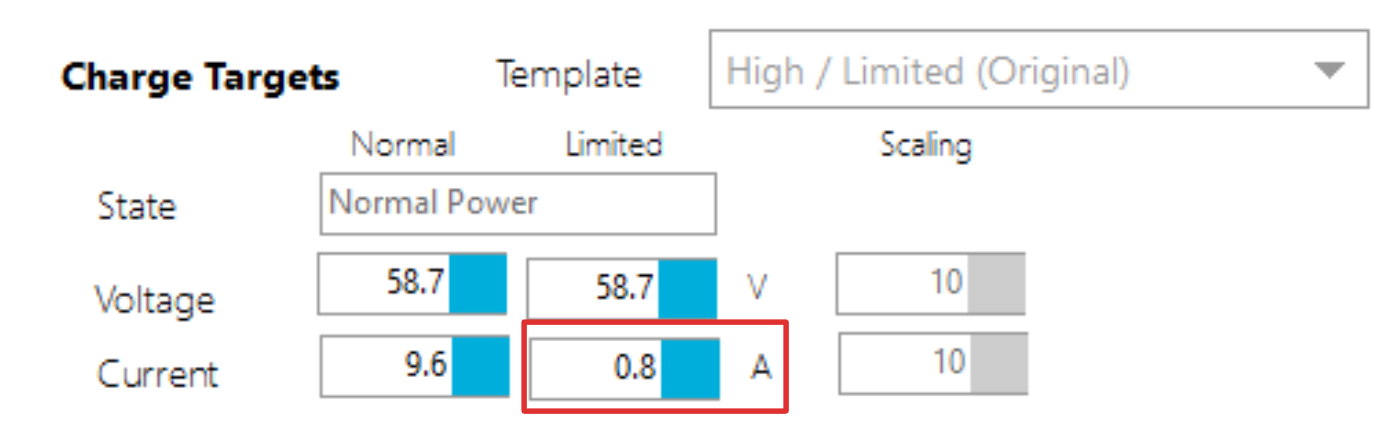
Now, as for how to set the limit that gets passed to the inverter, that is handled in Control > Remote
Thanks for your reply and attention to my question, James.
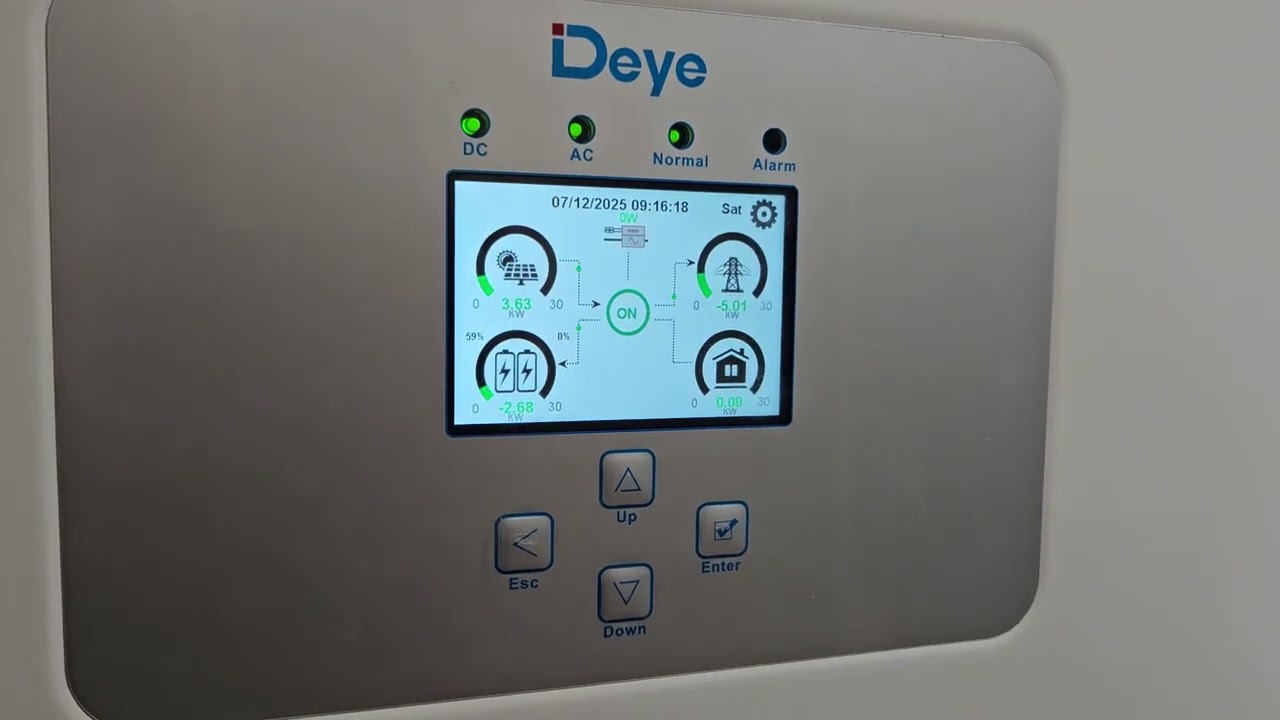
I’d like to point out that I’m using the Batrium with a Deye HV 30kW inverter, and the variables it uses to transmit the charging current from the BMS are in the “Int” format, so it can’t transmit anything less than 1. Considering I’m using two 50A inverter inputs in parallel, I can’t even ask the inverter for less than 2A. This is the reality with Deye.
Are there any additional mechanisms to request a lower charging current from the inverter?
Please also pay attention to a previous request.
I use CmuAlert(Hi/Lo) triggers and observe that when a cell rises above the “CV11” value, “CmuAlert Low Volt” is triggered, while “CmuAlert High Volt” should be. This is important to me. I’ve already built cell overcharge protection on this in several systems. If you plan to fix this, please provide feedback.
The only way generally to further reduce the current within Deye constraints would be to time slice it, set the charge cutout above the balancing threshold, and it will bounce between 1A and 0A while it balances. This is how things used to work before CAN control.
I can see your system is already doing this, but it might be an indicator of an underlying problem.
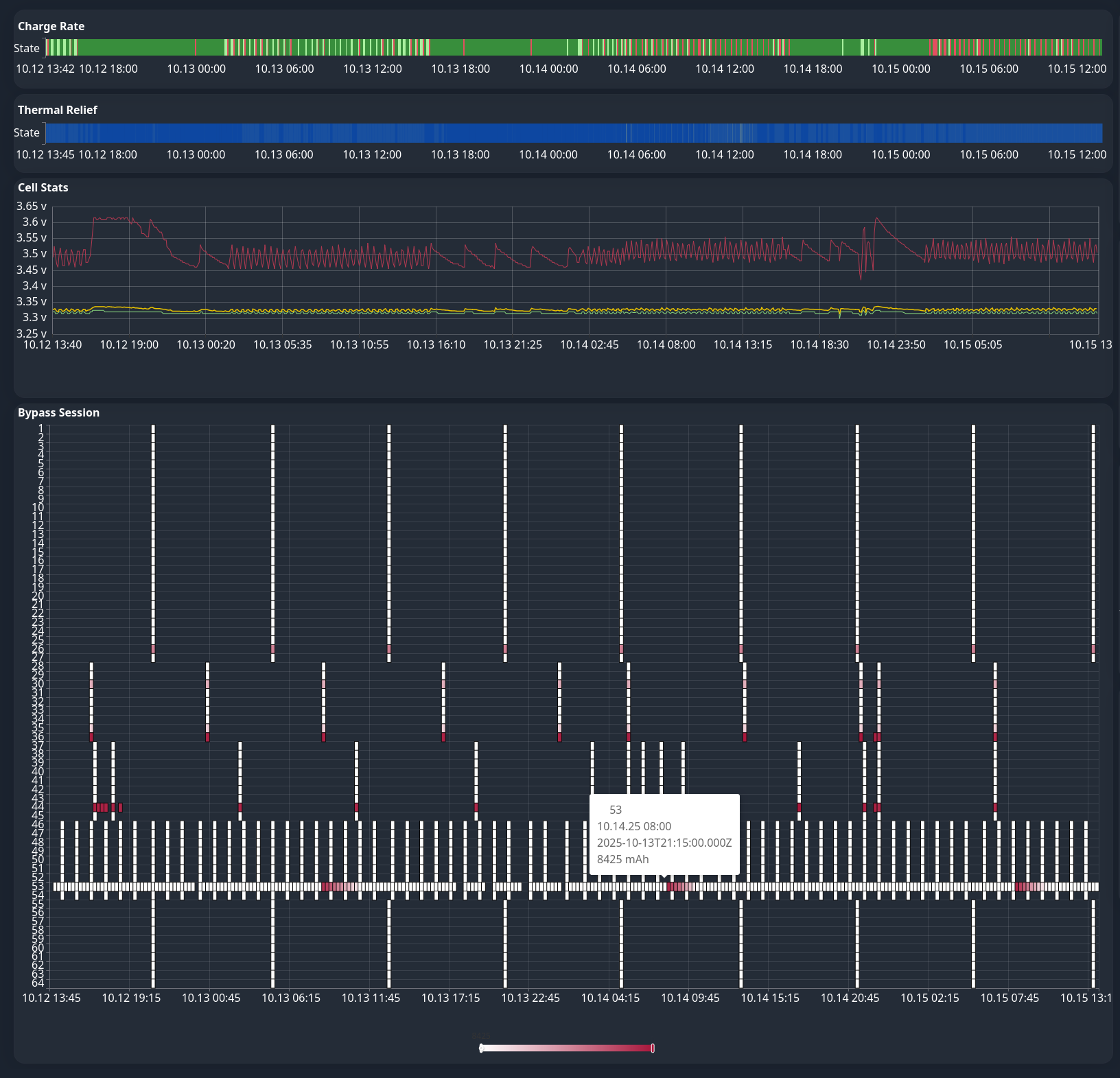
I can see on the charts available to you at bmi.batrium.com under Insights, that one of your cells is balancing constantly, pretty much all day, every day for the past few days:
Perhaps there is a loose bolt? or it needs a manual correction after a long period of incorrect balancing settings? I think cell 53 needs investigation.
Regarding the threshold mix-up you mentioned, that one’s on us, and I asked for it to be added to our next software release when you emailed us about it
My battery actually has 3 cells(53,36,44) that are way off-balance!! I was hoping the stock balancer would handle it, but it’s been struggling for 4 days now and still won’t finish :). I’ll balance them manually today!! And that will solve the problem!!
I returned my Deye inverter after a lot of problems, als in handling the charging limits as you mentioned. Here you can also see that Deye ignored all its limits from the battery input and overrides their own input with 20% (HW limit of one input is 50A and it discharged with 60A!)
From data sheet, Deye has one of the best hybrid inverters. But their software is still really buggy. I also do not want a hybrid inverter where there is no hardware protection implemented.
Your charge/discharge current target is exceeded even more seriously!
Please provide me with the serial numbers of your logger and inverter — I’ll send a request to technical support to prepare a firmware update to the latest version for you.
Usually, I only get concerned about a small “leak” of around 0.1–0.2 A when there’s solar generation and no grid connection to dump the excess energy.
But the kind of issue you’re experiencing — I haven’t seen that before.
Nobody should experience that when there is a communication fault on CAN side.
I already returned my Deye hybrid inverter and do not want to use it anymore until they fix such critical topics. They had the chance to fix it from my input but it took way too long to get a reaction from them.